BOQ
Software for BOQs and quotations
For interior work. Draw the room once and the app takes off the floor, walls, ceiling, lighting and built-ins. You add your own prices, then carry on to the quotation, contract, bills and receipts from the same room. Every picture here is from the real app, using the master bedroom sample room.
Take-off
Draw the room once, the quantities follow
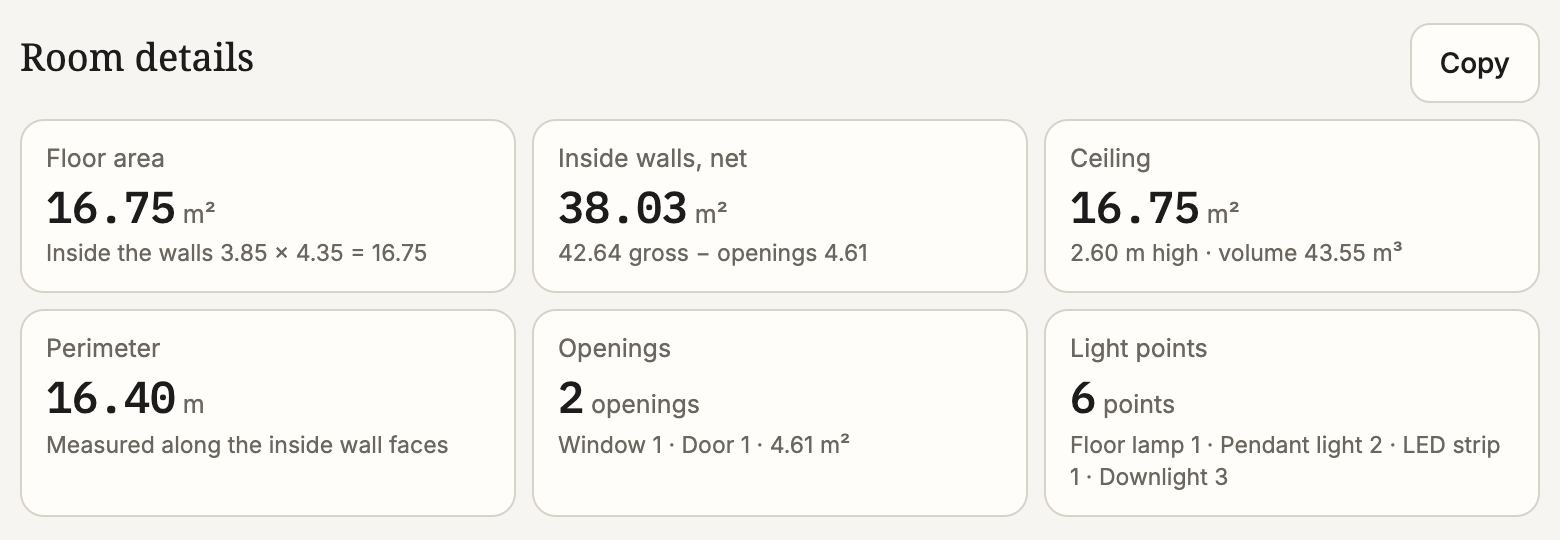
Everything on the plan is drawn to size, so the app can count what the job needs. The room in the picture has 16.75 m² of floor, 38.03 m² of inside wall once the window and door (4.61 m²) are taken out, and 6 light points.
The BOQ runs in the order work happens on site: demolition, partitions, flooring, ceilings, electrical, air-conditioning, doors and windows, sanitary ware, built-ins with their cabinet hardware, and loose furniture.
Move a wall or resize a window and the BOQ quantities follow straight away. No re-measuring.
Prices
Your prices, not ours
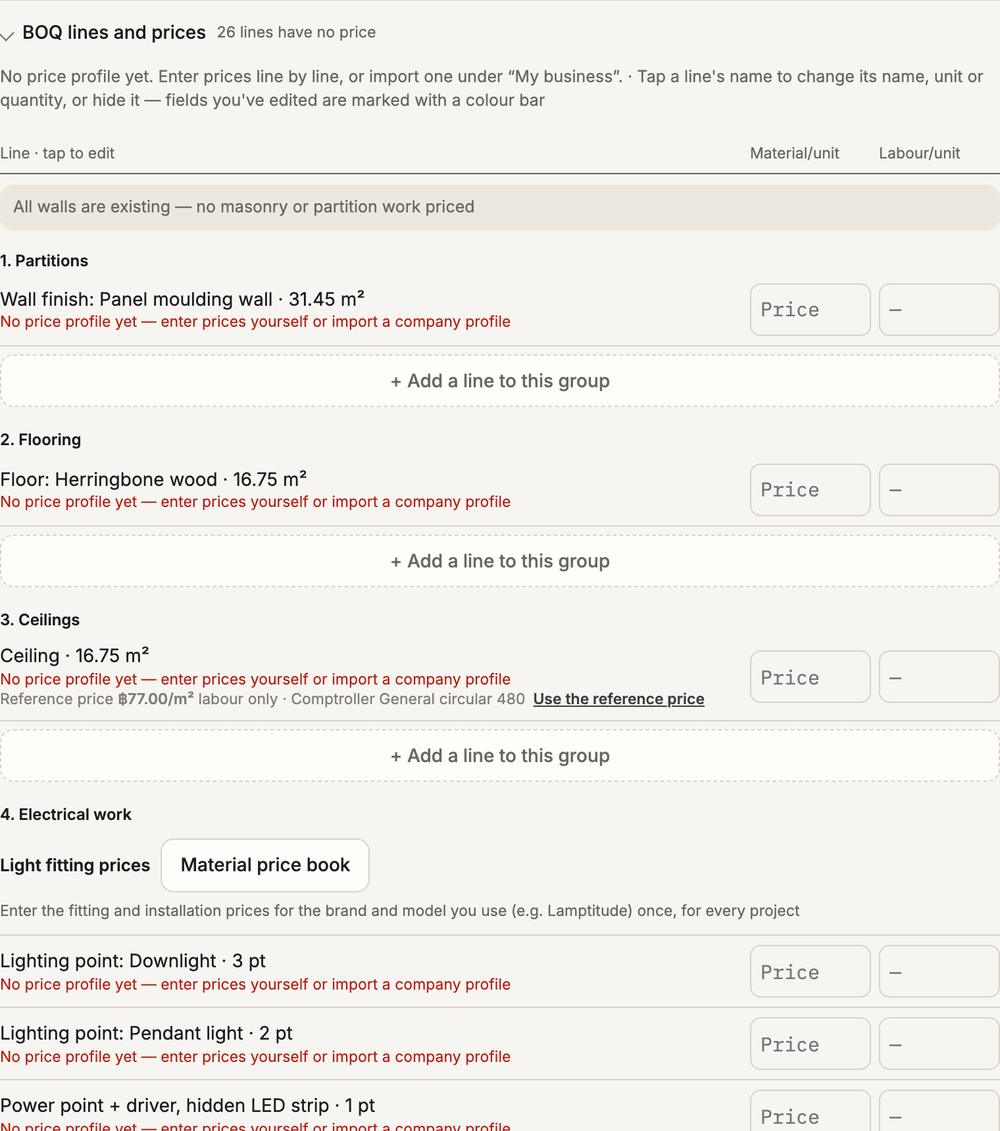
RAYA does not fill in standard prices. Each line takes a material price and a labour price per unit, kept apart. A line you have not priced reads “No price yet” on the document; nothing is guessed for you.
Tap a line to change its name, unit or quantity, or to hide it, and add your own lines to any section. If your company keeps standard prices, import them once as a price profile and use them on every job.
The BOQ downloads as Excel or CSV on a paid plan.
Quotation
A quotation from the BOQ
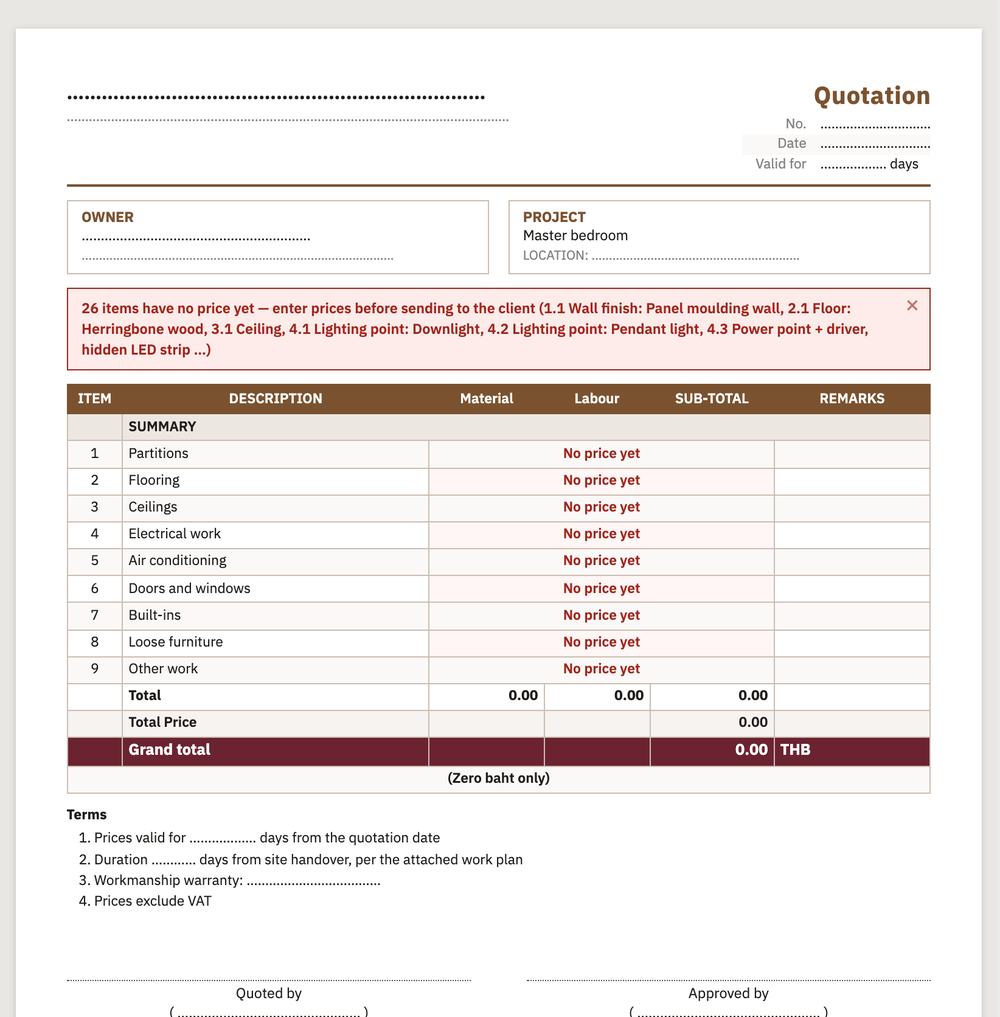
The quotation takes its lines from the BOQ. Set a discount, VAT, overhead and how many days the price holds. The total is also written out in Thai words, and document numbers run in order.
Enter your business details once (name, logo, address and tax ID) and they head every document.
Contracts and bills
From the quotation to the last receipt
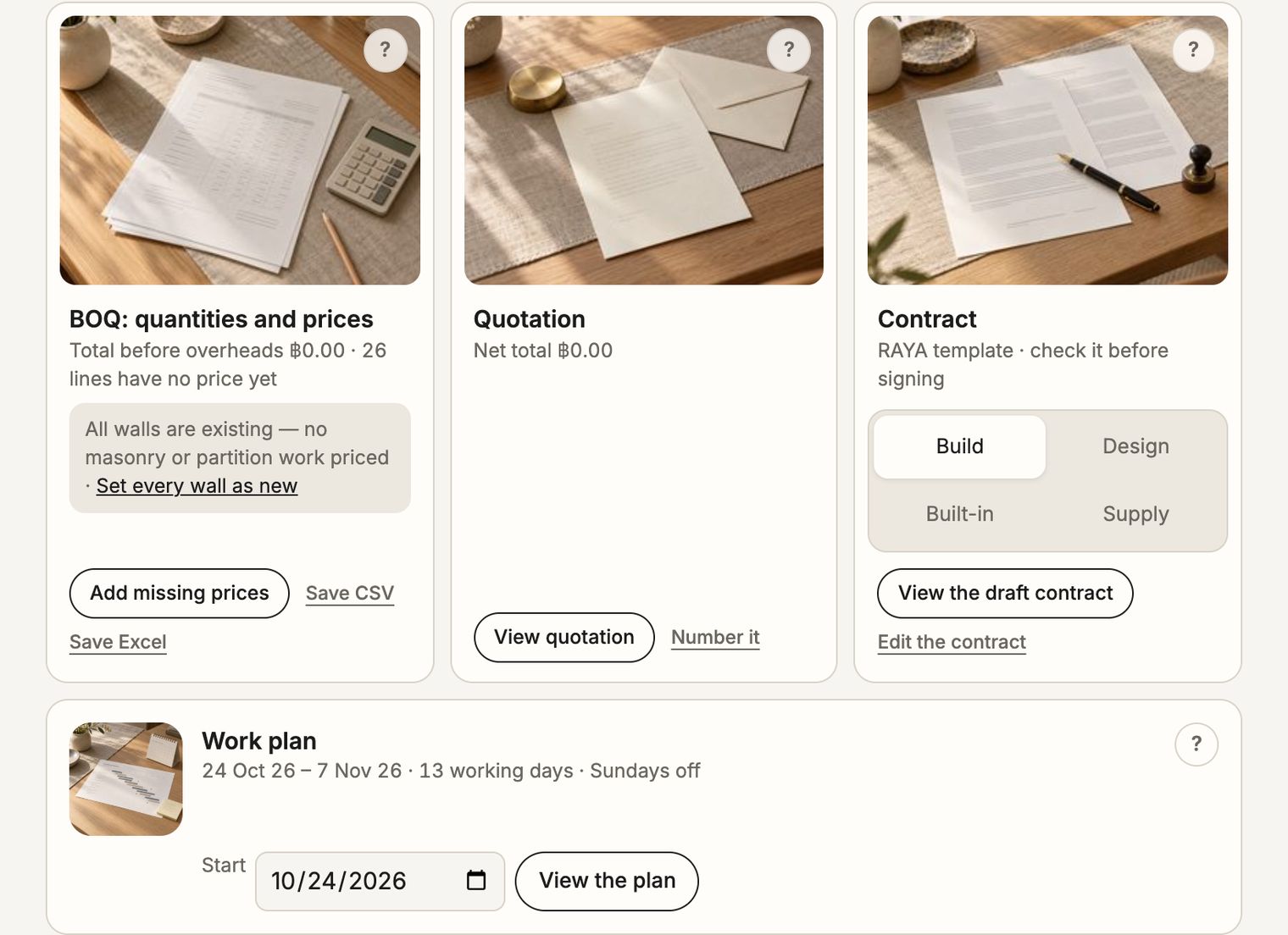
- A work plan: set the start date and get the finish date, counting working days only.
- Four contract templates: construction, interior design services, built-in furniture made and installed, and sale of goods. The wording can be edited; have it checked before anyone signs.
- Purchase orders split by supplier, without labour.
- Bills by the contract’s instalments, payments in, then receipts, with a PromptPay QR and withholding tax where needed.
- Variations: lock the contract scope when the client signs. If they ask for changes later, the app shows what was added and what was taken out.
Every step from opening the app to the documents is in the Step-by-step guide
FAQ
Questions about the BOQ
- Can I make a BOQ for free?
- Yes, with every feature. The BOQ, the quotation and every other document show on screen for free with a PREVIEW watermark. Downloading, printing or saving files such as PDF, Excel or CSV needs a plan.
- Do I need drawings or a CAD file first?
- No. Draw the room in the app, or start from a DXF file, a picture of a plan, or one of more than 20 sample rooms.
- Where do the material and labour prices come from?
- From you. RAYA has no built-in price list: enter prices line by line or import your company’s price profile. A line without a price reads “No price yet”.
- Does it work on a phone?
- Yes. Open raya-studio.com in the browser. Nothing to install, on a phone or a computer.
- Who it suits
- Interior designers, architects, contractors, and homeowners who want the quantities before they talk prices with a contractor.
Terms
Terms on this page
More words you meet when doing up a home are in the Interior design glossary
Try a BOQ on a sample room
Open the app, pick a sample room and go to the documents tab. Stuck anywhere? Message us on LINE @raya-studio or see plan prices on the home page
Open app